
How Magnification of Digital Microscopes is Calculated
Dec 3rd 2025
Many digital microscopes do not utilize eyepieces and magnification is calculated based on the size of the monitor being used.
How to Calculate Digital Microscope On-Screen Magnfication
On-Screen Magnification = Width of Monitor ÷ Width of the Object Spanning the Screen
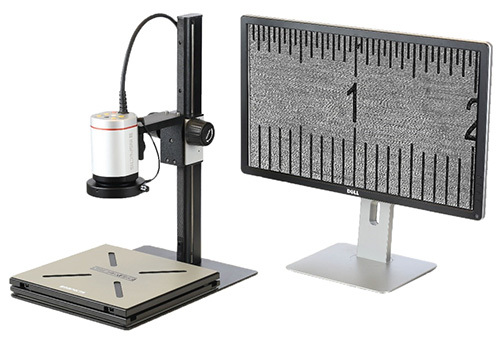 Here is how to measure your digital microscope on-screen magnification:
- Place a stage micrometer under the microscope. This is your known size ruler.
- Select your preferred zoom factor and measure the screen width. For example, a 27" monitor has a viewable width of about 600mm. (Physically measure this for accuracy, as the "inch" size is the diagonal).
- Read the object width. Look at the image on the screen and note how many millimeters of the stage micrometer are visiable in the entire screen? For our example let's say you see 20mm on the stage micrometer.
On-Screen Magnification = 600mm ÷ 20 = 30x
Based on our example, the object is magnified 30x on the screen.


